
How Do I Open a Bank Account Online?
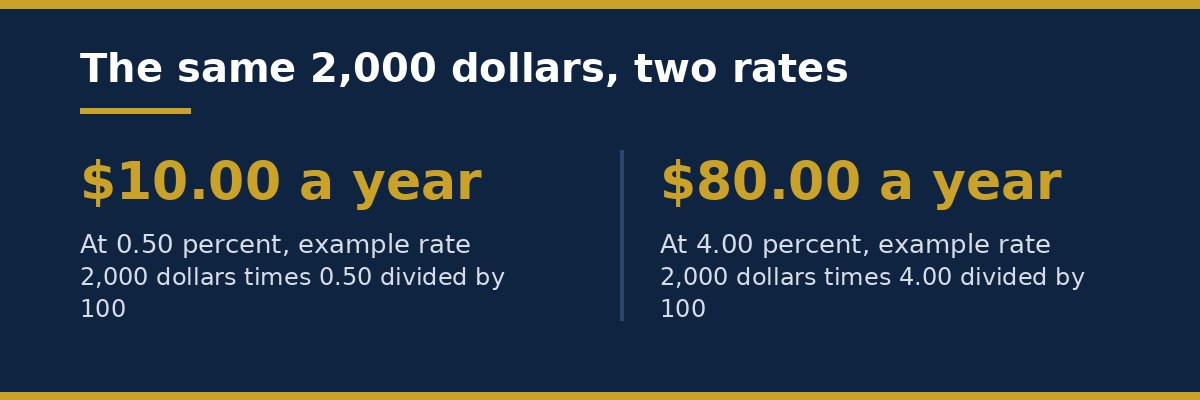
You can open a bank account online in about 10 to 20 minutes if you have your ID, your Social Security number, your address, and a way to fund the account. You choose a bank, pick checking or savings, fill in the online form, verify your identity, add money, and then wait for the bank to confirm the account. Most banks let you use the account online right away, while the debit card and paper checks, if you order them, arrive by mail later.
What you need before you start
Gather your documents before you open the form. It makes the process faster and it reduces the chance of a delay.
You will usually need:
- A government photo ID, such as a driver’s license, state ID, or passport
- Your Social Security number
- Your full legal name and date of birth
- Your home address and phone number
- Your email address
- A way to fund the account, such as another bank account, a debit card, or a check
Some banks ask for a second document to confirm your address. A utility bill, a lease, or a bank statement with your name and address can work. Check the bank’s list before you start, so you do not have to stop in the middle of the form.
You also need to decide what type of account you want. A checking account is for everyday spending, bills, and cash withdrawals. A savings account is for money you want to keep aside and use less often. If you are not sure which one fits your plan, read our guide on how to choose a bank account as a beginner before you apply.
How to open a bank account online in 7 steps
Follow these steps in order. You can pause between steps, but do not submit the form twice.
1. Compare banks first
Look at more than one bank. Compare the monthly fee, the minimum balance, the ATM network, the mobile app, and how you can reach support. A bank with no monthly fee can still charge for other services, so read the fee list. A bank with a higher rate on savings can still have a low rate on checking, so check the rate for the exact account you plan to open.
Also check whether the bank is insured. In the United States, deposits at banks are insured up to $250,000 per depositor, per bank, by the Federal Deposit Insurance Corporation, known as the FDIC. Deposits at credit unions are insured up to the same limit by the National Credit Union Administration, known as the NCUA. This insurance covers your deposits if an insured bank or credit union fails. It does not cover investment losses, and it does not cover money held outside the insured account. Check the bank’s own terms to confirm that your account is covered. You can also read the FDIC deposit insurance information at fdic.gov.
2. Pick checking, savings, or both
Many people open a checking account first, because they need a place for pay, bills, and daily spending. A savings account can come next, for an emergency fund or a short term goal. Some banks let you open both at the same time. Others ask you to open one and then add the second later.
If you want to understand the basic difference, our guide on the difference between checking and savings accounts explains when to use each one in plain words.
3. Fill in the online application
Go to the bank’s official website or app. Use the bank’s own site, not a link from a random email or message. Choose the account you want, then enter your name, date of birth, address, phone number, email, and Social Security number.
The bank uses your Social Security number to verify your identity and to report interest to the tax authorities when required. It is normal for a bank to ask for it. Do not send this information by email or by text message to a person who says they work for the bank. Enter it only in the bank’s secure online form.
Read each question carefully. Use your legal name exactly as it appears on your ID. A small spelling difference can cause a delay.
4. Verify your identity
After you submit the form, the bank will check your identity. This step is required by law for most banks in the United States. The bank may ask you to upload a photo of your ID, take a selfie, or answer questions about your past addresses or accounts.
If the bank cannot verify you online, it may ask you to visit a branch, call support, or send extra documents. This does not always mean you did something wrong. It can happen if you moved recently, if your name changed, or if the bank’s records do not match your ID.
5. Choose your account features
You may be asked to choose:
- A debit card, and whether you want it sent by mail
- Paper checks, if you want them
- Overdraft settings, where the bank asks how it should handle a payment when the balance is too low
- Paperless statements or paper statements by mail
- Alerts for low balance, large purchases, or deposits
Choose paperless statements if you want less mail and faster access. Turn on balance alerts if they help you track spending. You can usually change these settings later in online banking or in the app.
6. Fund your new account
Most online accounts need an opening deposit. The amount varies by bank and by account. Some accounts open with $0. Others ask for $25, $50, or $100. Check the minimum before you apply.
You can usually fund the account by:
- Transfer from another bank account
- Debit card payment
- Mobile check deposit
- Direct deposit from your employer
- Cash deposit at a branch or an ATM, if the bank supports it
A transfer from another bank can take 1 to 3 business days to arrive. A debit card payment is often faster, but the bank may place a short hold on part of the money. Ask the bank how long the first deposit will take to clear, so you know when you can spend it.
7. Set up online banking and test it
Once the bank confirms the account, sign in to online banking or the mobile app. Set a strong password and turn on two step verification if the bank offers it. Check that your name, address, and account type are correct. Make a small test transfer or payment if you want to confirm that everything works.
Save the bank’s support number and the account number in a safe place. Do not share your password, your PIN, or a one time code with anyone, even if the person says they work for the bank.
How long does it take to open a bank account online?
For many people, the online form takes 10 to 20 minutes. Identity checks can add a few minutes. If the bank needs extra documents, the account can take 1 to 3 business days to open.
The debit card usually arrives in 5 to 10 business days. The account number and online access often arrive sooner, by email or in the app. If you do not hear from the bank within the time it gave you, contact support and ask for the status of your application.
What the bank checks, and why an application can be delayed
Banks check identity to reduce fraud. They may also check your banking history through a consumer report. A past unpaid fee, a closed account with a negative balance, or a fraud report can affect a new application.
Common reasons for a delay include:
- A name, address, or date of birth that does not match your ID
- A recent move, so the address on file is old
- A typo in your Social Security number
- A frozen credit report, which can slow an identity check
- A photo of your ID that is blurry or cut off
If your application is delayed, read the message from the bank. It will usually say what document or step is needed. Fix that one item and resubmit it. Do not open a second application for the same account while the first one is still under review, because that can cause more confusion.
If the bank says it cannot open the account, ask for the reason in writing. You can also ask whether a different type of account is available. Some banks offer a second chance checking account for people who had a problem with a past account.
Worked example: what a balance could earn at two example rates
This is an example only. It uses clearly labelled example rates, not a promised rate. Real rates change, and your bank will show its current rate in the account terms.
Suppose you keep $2,000 in a savings account for one full year, and you add no money and take out no money during that year.
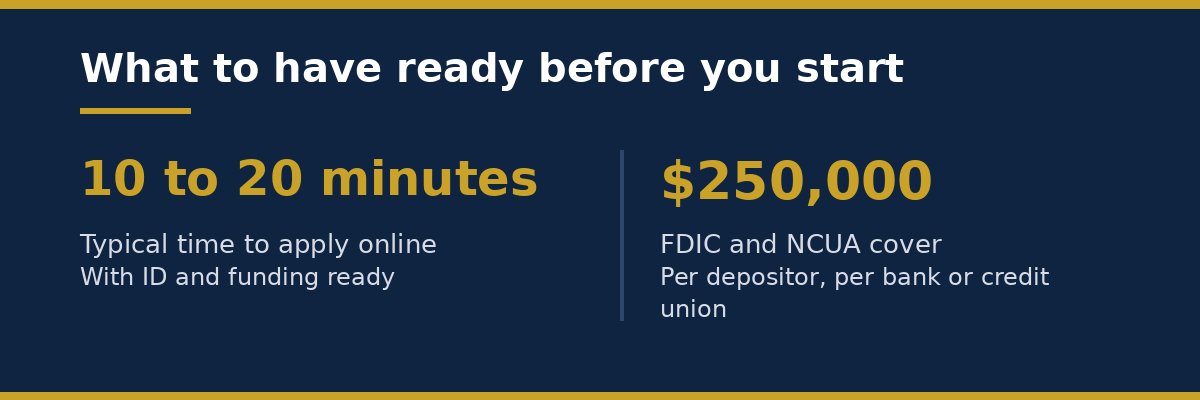
At an example rate of 0.50 percent per year, the math is:
$2,000 x 0.50 / 100 = $10.00
At an example rate of 4.00 percent per year, the math is:
$2,000 x 4.00 / 100 = $80.00
The difference is:
$80.00 minus $10.00 = $70.00
So in this example, the higher example rate earns $70 more in one year on the same $2,000 balance. This does not mean your bank will pay 4.00 percent. It shows why the rate matters, and why it helps to compare rates before you choose an account. Interest may also be taxed, and some accounts pay interest monthly, so the exact amount can differ slightly from this simple example.
If you are saving for emergencies, the rate is only one part of the choice. Access, fees, and a simple way to move money also matter. Our guide on how much to keep in an emergency fund can help you plan the amount to save before you pick an account.
Fees and limits to check before you finish
Read the fee list before you submit the application. Common fees include:
- Monthly maintenance fee, and how to avoid it
- Overdraft fee, when a payment is larger than your balance
- ATM fee, when you use an ATM outside the bank’s network
- Wire transfer fee, for sending money to another bank
- Paper statement fee, if you choose paper statements
- Account closure fee, if you close the account very soon after opening it
Also check the limits. Some savings accounts limit how many withdrawals you can make each month. Some checking accounts limit how much cash you can withdraw from an ATM each day. Some banks hold a large mobile check deposit for a few days. These limits are normal, but you should know them before you need the money.
What to do after your account is open
Opening the account is only the first step. Take these actions in the first week:
- Turn on alerts for deposits, withdrawals, and low balance.
- Set up direct deposit if your employer offers it.
- Move your regular bills to the new account, one at a time.
- Keep the old account open until all bills and deposits have moved.
- Check the first statement for the correct name, address, and balance.
- Store the debit card PIN in a safe place, not in your phone notes or in your wallet.
If you plan to use the account for savings, set a small automatic transfer from checking to savings on payday.
FAQ
Can I open a bank account online with no money?
Some banks let you open an account with $0. Others ask for a minimum opening deposit, often $25 to $100. Check the account terms before you apply, because the minimum depends on the bank and the account type.
Do I need a Social Security number to open a bank account online?
Most banks in the United States ask for a Social Security number to verify your identity. Some banks accept another government ID number if you do not have one. Check the bank’s list of accepted documents before you start.
Can I open a bank account online if I just moved?
Yes, but a recent move can slow the identity check. Use your current address on the form, and be ready to upload a document that shows the new address, such as a utility bill or a lease.
How long does it take to get a debit card?
A debit card usually arrives by mail in 5 to 10 business days after the account is approved. Some banks give you a virtual card in the app sooner, so you can pay online or add it to a mobile wallet while you wait.
Is it safe to open a bank account online?
It can be safe if you use the bank’s official website or app, a secure internet connection, and a strong password with two step verification. Check that the bank is insured by the FDIC or the NCUA, and never enter your details from a link in an unsolicited message. Our guide on is my money safe in a bank and what does insurance mean explains the $250,000 limit in more detail.
Conclusion
Opening a bank account online is a simple process when you prepare first. Compare banks, pick checking or savings, fill in the form with your correct details, verify your identity, and fund the account with an amount you can afford. Check the fee list, the insurance cover, and the limits before you finish. Then set up alerts, move your bills one at a time, and keep the old account open until the move is complete. A careful start makes the account easier to use every day.
This article is for general information and education only. It is not legal or financial advice.