

How Long Will My Retirement Savings Last Calculator: How to Use One
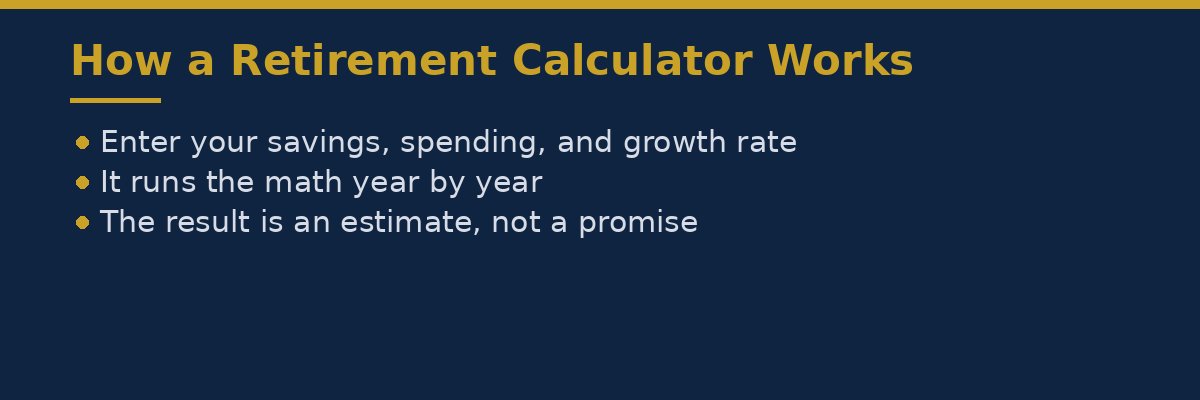
A retirement savings calculator answers one simple question: roughly how many years will your savings last once you stop working? This is the exact question a how long will my retirement savings last calculator is built to answer. You type in your current savings, how much you plan to spend each year in retirement, how much you still save, and an expected growth rate. The calculator runs the math year by year and shows an estimate, such as 22 years, or a shortfall, such as running out five years too early.
The result is an estimate, not a promise. No calculator can know your future health costs, future market returns, or how long you will live. What it can do is show you whether your current plan is on track, and what small changes would make the biggest difference. It turns a vague worry into a number you can test, change, and improve.
This guide shows you what numbers to enter, how to read the result, and how to use a retirement savings calculator the right way. You do not need to be good at math. You only need honest numbers and a clear idea of what the answer means.
What a Retirement Savings Calculator Does
A retirement savings calculator takes your savings today, adds the money you expect to save before you retire, adds growth on the balance, and then subtracts your spending year by year after you retire. When the balance reaches zero, it stops and tells you how many years your money lasted.
Most calculators work in two parts. The first part is the saving years, between now and retirement, when your balance grows because you add money and earn a return. The second part is the spending years, after you retire, when your balance falls because you take money out, even though the money left still earns some growth. Some calculators also ask about Social Security, a pension, taxes, or inflation. A simple calculator is fine for a first check.
The Numbers a How Long Will My Retirement Savings Last Calculator Needs
Before you open a calculator, gather your numbers. Guessing makes the result useless, so take a few minutes to find the real figures. Here are the main inputs.
Your current retirement savings
Add up the money you already have saved for retirement, including your 401(k), IRA, and any other retirement accounts. Do not include your emergency fund or checking account money, because that money is for today, not for retirement. Check your most recent statements for the real totals. If you are just starting out, enter the real number, even if it is zero.
How much you save each year
Enter how much you add to retirement savings each year, including any employer match if the calculator asks for it. If you save a set amount each month, multiply it by 12. For example, 300 a month is 3,600 a year. Use your normal amount, not your best month.
Your retirement age and your current age
The calculator needs your current age and the age when you plan to stop working. The gap between the two is your saving time. A longer gap gives your savings more time to grow. Be honest about the age you plan to retire. If you hope to retire at 60 but your savings point to 65, the calculator will show you that gap, and that tells you what to work on.
How much you will spend each year in retirement
This is the hardest number, and the most important one. Your yearly spending in retirement is what your savings must cover. Start with your current yearly spending. If you spend 3,000 a month today, that is 36,000 a year. Then adjust it. Remove costs that may drop, such as commuting, and add costs that may rise, such as health care and travel. The calculator can only work with the number you give it, so spend a few minutes on this one.
The expected growth rate
The growth rate is the yearly return your savings are expected to earn. This is an assumption, not a fact. No one knows future returns. Many calculators suggest a modest rate for planning, such as 4 percent or 5 percent a year after inflation. Do not enter a high growth rate just to get a better result. Run the calculator with a modest rate first, then try a lower rate to see what happens if returns are weaker than you hope.
Inflation
Inflation means prices rise over time, so a dollar buys less in the future than it does today. Some calculators build inflation in for you. Others ask you to enter it, often around 2 percent or 3 percent a year as a planning figure. If your calculator asks, enter a modest figure and keep it the same across your test runs, so you can compare results fairly.

A Worked Example: What the Calculator Would Say
Here is a worked example, using round numbers that are stated clearly and labelled as an example. These are not real figures from any person, and they are not a promise of what will happen to you. They show how the math works.
Meet Sam, an example saver. Sam is 50 years old and plans to retire at 65. Sam has 300,000 saved for retirement today, saves 6,000 a year, plans to spend 30,000 a year in retirement, and uses an example growth rate of 4 percent a year.
First, the simple check with no growth at all. If Sam retires with 300,000 and spends 30,000 a year, the math is 300,000 divided by 30,000, which equals 10 years. That is the baseline. With no growth and no more saving, the money lasts 10 years.
Now add the saving years. Sam has 15 years until retirement, from age 50 to 65. Saving 6,000 a year for 15 years adds 90,000 in new contributions, because 6,000 times 15 equals 90,000. Growth would add more on top of that, so Sam would retire with more than 390,000. A calculator works this out year by year, adding the yearly saving and the growth on the balance each year.
Then comes the spending years. Here is what the calculator does, year by year, after retirement. Start with an example balance of 300,000 at retirement, spend 30,000 a year, and earn 4 percent a year on the money that is left.
Year 1: 300,000 grows by 4 percent, which is 12,000. Add the growth, then take out 30,000 for spending. The balance is 300,000 plus 12,000 minus 30,000, which equals 282,000.
Year 2: 282,000 grows by 4 percent, which is 11,280. The balance is 282,000 plus 11,280 minus 30,000, which equals 263,280.
Year 3: 263,280 grows by 4 percent, which is 10,531.20. The balance is 263,280 plus 10,531.20 minus 30,000, which equals 243,811.20.
Year 4: 243,811.20 grows by 4 percent, which is 9,752.45. The balance is 243,811.20 plus 9,752.45 minus 30,000, which equals 223,563.65.
Year 5: 223,563.65 grows by 4 percent, which is 8,942.55. The balance is 223,563.65 plus 8,942.55 minus 30,000, which equals 202,506.20.
After five years of spending 30,000 a year, the balance is still 202,506.20. Compare that with the no growth check, where five years of spending would leave 150,000, because 300,000 minus 150,000 equals 150,000. Growth adds about 52,506.20 over those five years. The calculator keeps going year by year until the balance reaches zero, and that is how it finds the number of years your savings will last.
The lesson is simple. Spending less each year stretches your savings further. In the same example, spending 24,000 a year instead of 30,000 gives 300,000 divided by 24,000, which equals 12.5 years with no growth. That is two and a half extra years from one change in spending, before growth is even counted.
How to Read the Result
When the calculator gives you a result, read it carefully. It usually shows one of three things.
First, it may show how many years your savings will last. For example, it may say your savings last 25 years, from age 65 to age 90. Compare that with how long you may need the money. If you need it to last 30 years, a 25 year result means you have a five year gap to close.
Second, it may show a shortfall, a dollar amount you are missing. For example, it may say you need 120,000 more to reach your goal. A shortfall is not a failure. It is a target. It tells you how much more you need to save, or how much spending to trim.
Third, it may show how much you can spend each year. Some calculators work backwards. You enter your savings and how long you want the money to last, and the calculator tells you the yearly spending that fits.
Whatever form the result takes, remember what it is. It is a planning estimate based on the numbers you entered. If you entered a modest growth rate and honest spending, the result is a fair guide. If you entered hopeful numbers, the result will be hopeful too, and that helps no one.
Common Mistakes That Make the Answer Wrong
Most wrong answers come from the numbers going in, not from the calculator itself. Here are the mistakes to avoid.
The first mistake is forgetting inflation. If you plan to spend 30,000 a year in today’s money, that same lifestyle will cost more in 15 years, because prices rise. If your calculator does not handle inflation for you, your spending figure should allow for it.
The second mistake is using a growth rate that is too high. A calculator will happily accept 10 percent a year and give you a cheerful answer. Real returns move up and down, so plan with a modest rate, then test a lower rate too and look at both answers.
The third mistake is forgetting taxes. Money in some retirement accounts is taxed when you take it out. If you plan to spend 30,000 a year, you may need to withdraw more than 30,000 to have 30,000 left after tax. If your calculator has a tax setting, use it.
The fourth mistake is forgetting other income. Social Security, a pension, or part time work in retirement can cover part of your spending, so your savings need to cover less. If your calculator asks about that income, enter a realistic figure.
The fifth mistake is entering income instead of spending. The calculator needs to know what you will spend, not what you earn today. Your salary and your spending are different numbers.
What to Do After You See the Result
If the result looks good, do not stop there. Run the calculator again with a lower growth rate and higher spending, to see how much safety margin you have. A plan that only works when everything goes well is a fragile plan.
If the result shows a gap, you have three levers. The first lever is saving more. Even a small rise in yearly saving adds up over many years. The second lever is spending less in retirement, which stretches every dollar you have. The third lever is retiring later, which gives you more saving years and fewer spending years. Try each lever in the calculator and see which one closes the gap fastest for you.
Then repeat the check once a year. Your balance changes, your spending changes, and your plans change. A yearly check takes a few minutes, and it keeps your plan honest. Write down your numbers and your result each time, so you can see whether you are moving closer to your goal.
Frequently Asked Questions
How accurate is a retirement savings calculator?
It is a planning estimate, not a prediction. It is as accurate as the numbers you enter and the assumptions it uses. A modest growth rate, honest spending, and an allowance for inflation give a fair guide. No calculator can predict market returns, health costs, or how long you will live.
What is a good growth rate to enter?
There is no single right rate, because future returns are unknown. Many people plan with a modest rate, such as 4 percent or 5 percent a year after inflation, and then test a lower rate too. The point is to plan with a careful figure, not a hopeful one.
How much should I plan to spend each year in retirement?
Start with your current yearly spending, then adjust it. Remove costs that may stop, such as commuting, and add costs that may rise, such as health care or travel. Your real spending is the best starting point, and you can test higher and lower figures to see how the result changes.
What if the calculator says my money will run out too soon?
You have three main options. Save more each year, plan to spend less each year in retirement, or retire later. Try each one in the calculator, alone and together, to see which closes the gap. If the gap is large, speak to a qualified financial professional for personal advice.
Should I include Social Security in the calculator?
Yes, if the calculator asks for it. Social Security income covers part of your spending, so your savings need to cover less. Enter a realistic figure, not the highest possible one. The Consumer Financial Protection Bureau has retirement planning guides at consumerfinance.gov.
Conclusion
A retirement savings calculator is a simple tool with a useful job. It takes your savings, your saving, your spending, and a growth rate, and it shows you roughly how long your money will last. The answer is an estimate, not a promise, but it turns a vague worry into a number you can work with.
For a wider view, read our guide to financial planning for retirement, which covers savings, income, and withdrawals in simple steps. If you are still building your savings, our guide to what a retirement account is, in simple terms explains the basic account types. And if you want to understand how growth builds over time, read how compound interest works.
Start with honest numbers. Run the calculator with a modest growth rate. Read the result, test what happens if returns are lower or spending is higher, and then pick one small change to make. Save a little more, spend a little less, or plan to retire a little later. Then check again next year.
Your first step today is simple. Find your current retirement balance, write down your yearly spending, and run the calculator once. That one check tells you where you stand, and what to do next. If you want the quick estimate first, read how long will my retirement savings last before you run the calculator.
This article is for general information and education only. It is not legal or financial advice.